Focus
One context at a time.
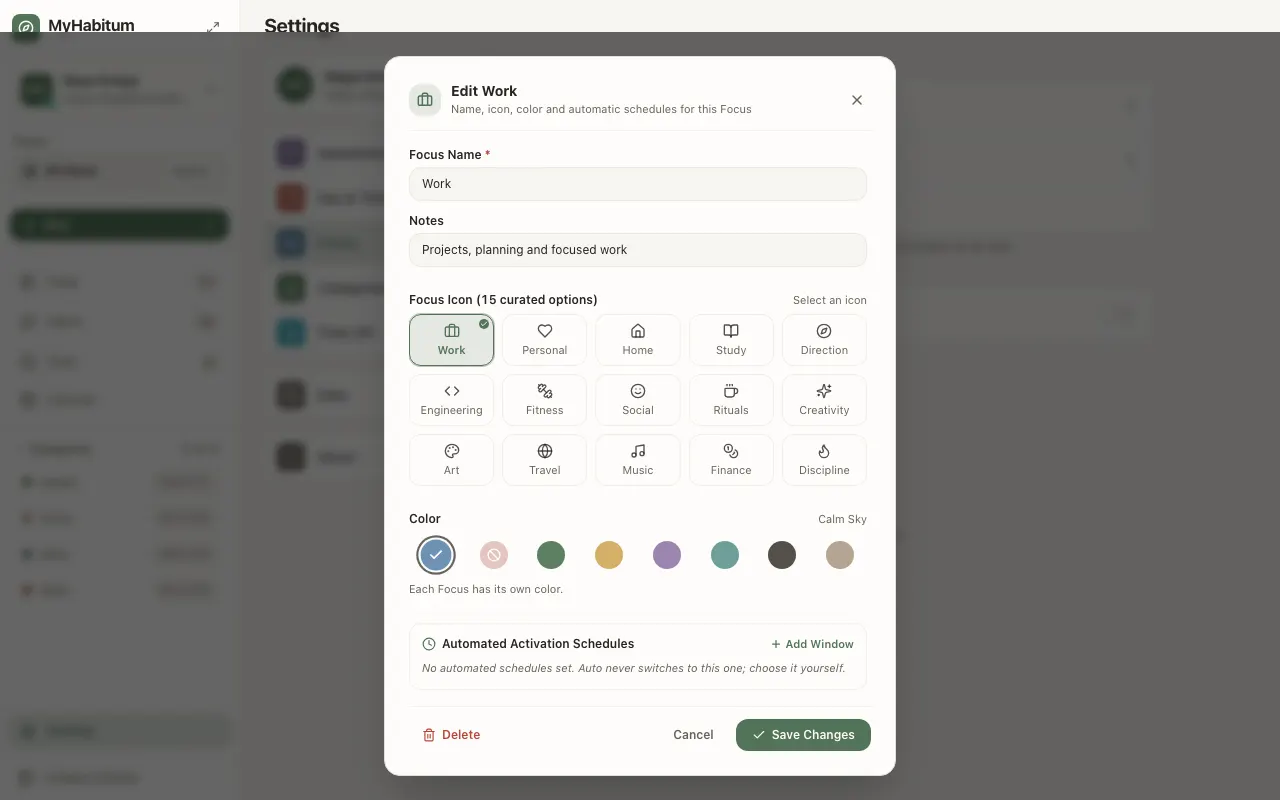
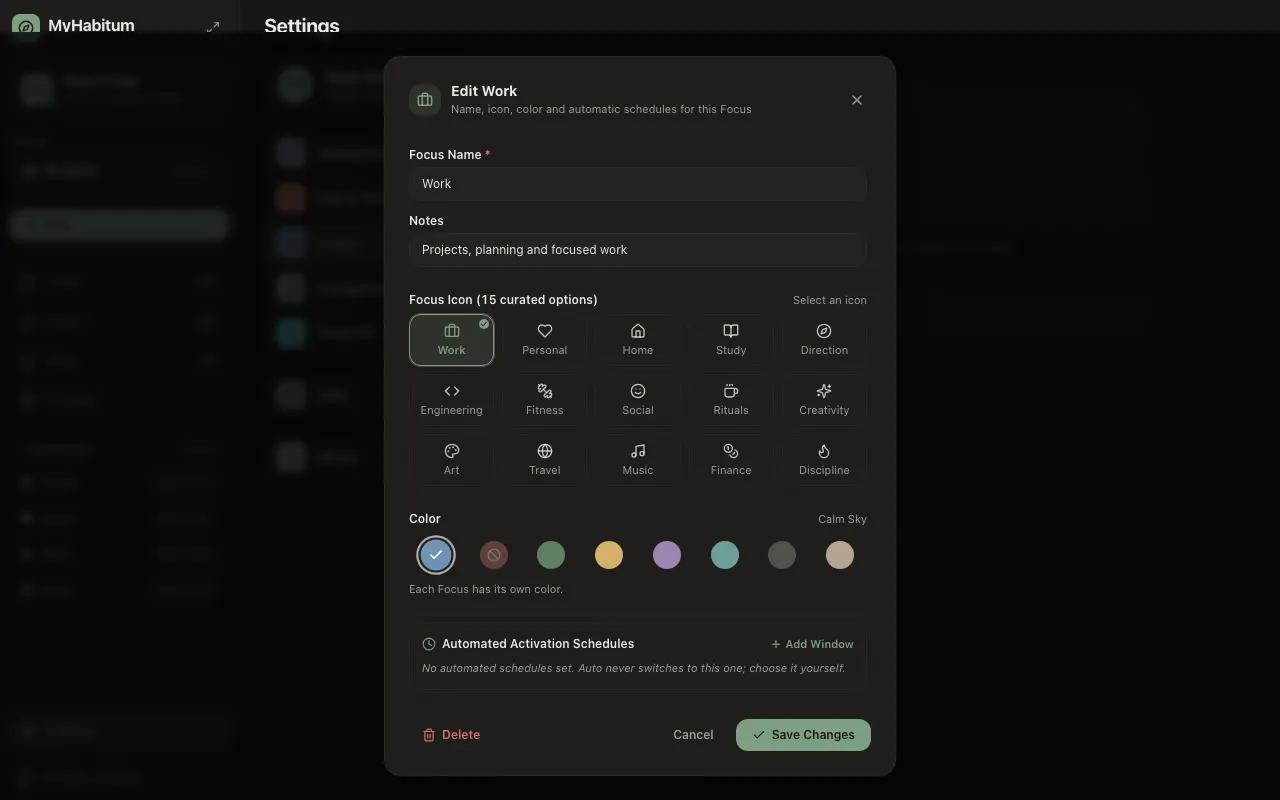
A Focus shows only the habits and tasks that belong to one context, such as Work or Personal, on every screen. Choose All Items to see everything. Give each Focus a weekly schedule and MyHabitum switches for you through the day.
01
Your own Focuses
Create, rename and delete any Focus, including the defaults. You always keep at least one, and each has its own icon. Deleting asks first and never deletes the habits or tasks in it.
02
Auto-Schedule
Give each Focus a weekly schedule, for example Work from Monday to Friday, 08:00 to 17:00, and MyHabitum switches for you through the day.
03
New items start in view
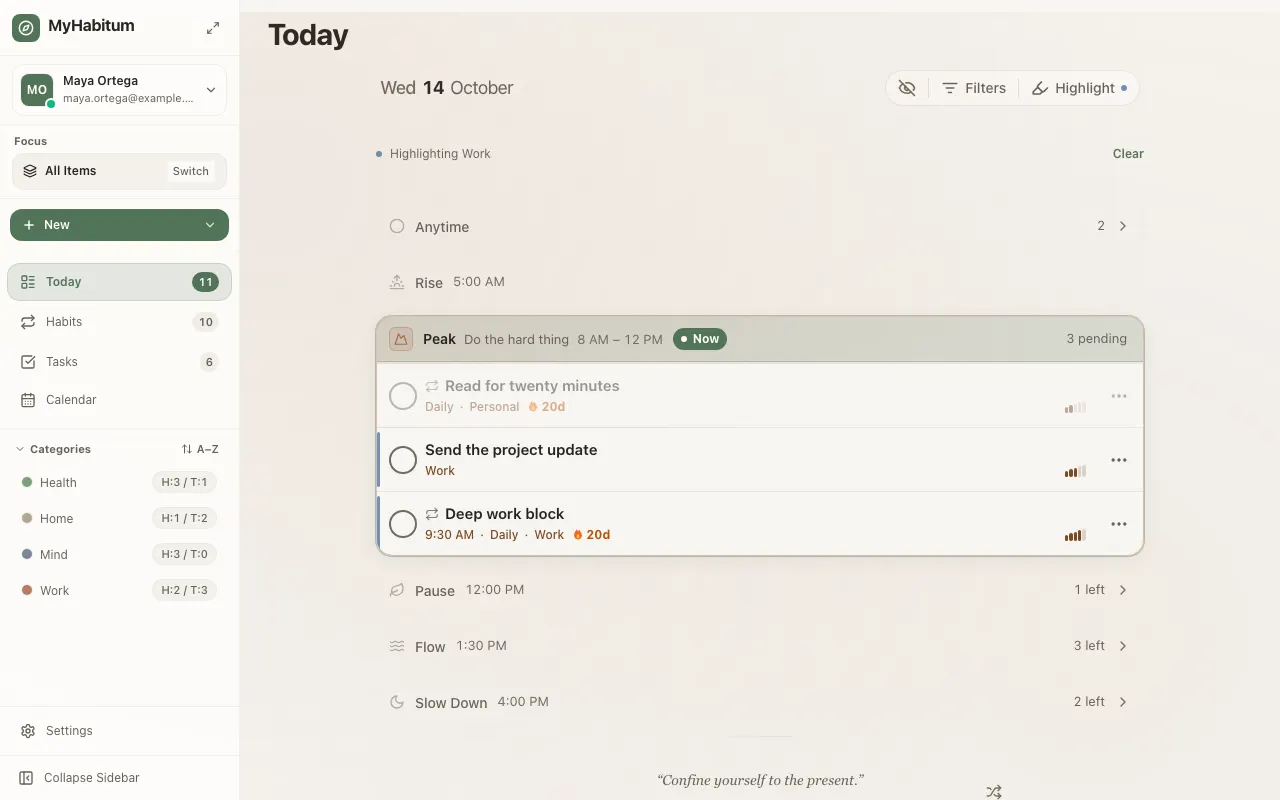
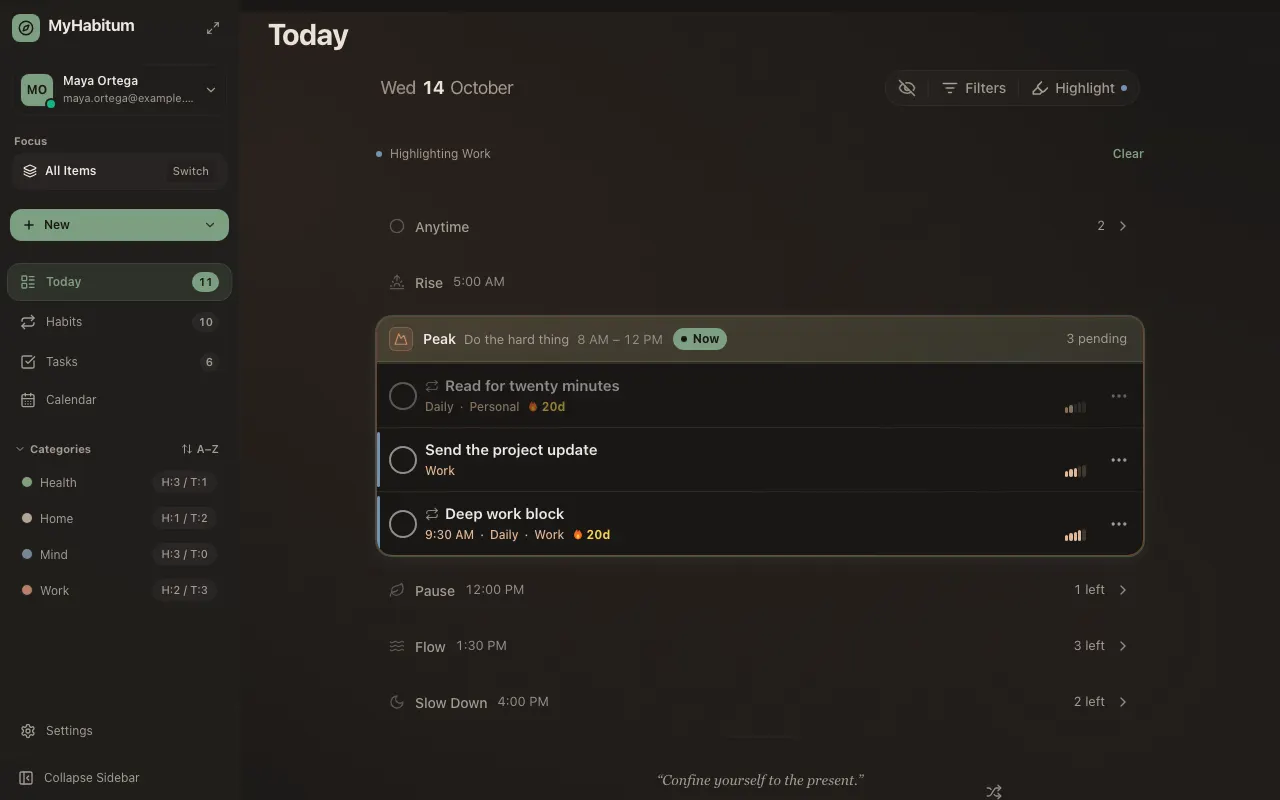
A new habit or task starts in the Focus you are in, so it stays in view. Each belongs to one Focus. This is MyHabitum’s own filter, separate from the Focus modes on your phone.
04
Highlight
Each Focus has its own color. Pick one or more in Filters and matching habits and tasks get a thin bar in that color while the rest fade back, on every screen. Nothing is hidden, and Clear turns it off.
Try MyHabitum
Arrange your habits and tasks by the time of day.