What is new in MyHabitum: November 2026
The Calendar returns, Time Off lets your streaks wait while you are away, and every Focus gets its own color and a Highlight.
November has been about rest and a wider view. You can now plan days away without breaking a streak, see your habits and tasks across several days, and tell your Focuses apart at a glance. This roundup covers versions 0.7.1 to 0.9.1 so far this month. Versions 0.6.0, 0.6.1 and 0.7.0 are in the October roundup.
The Calendar is back
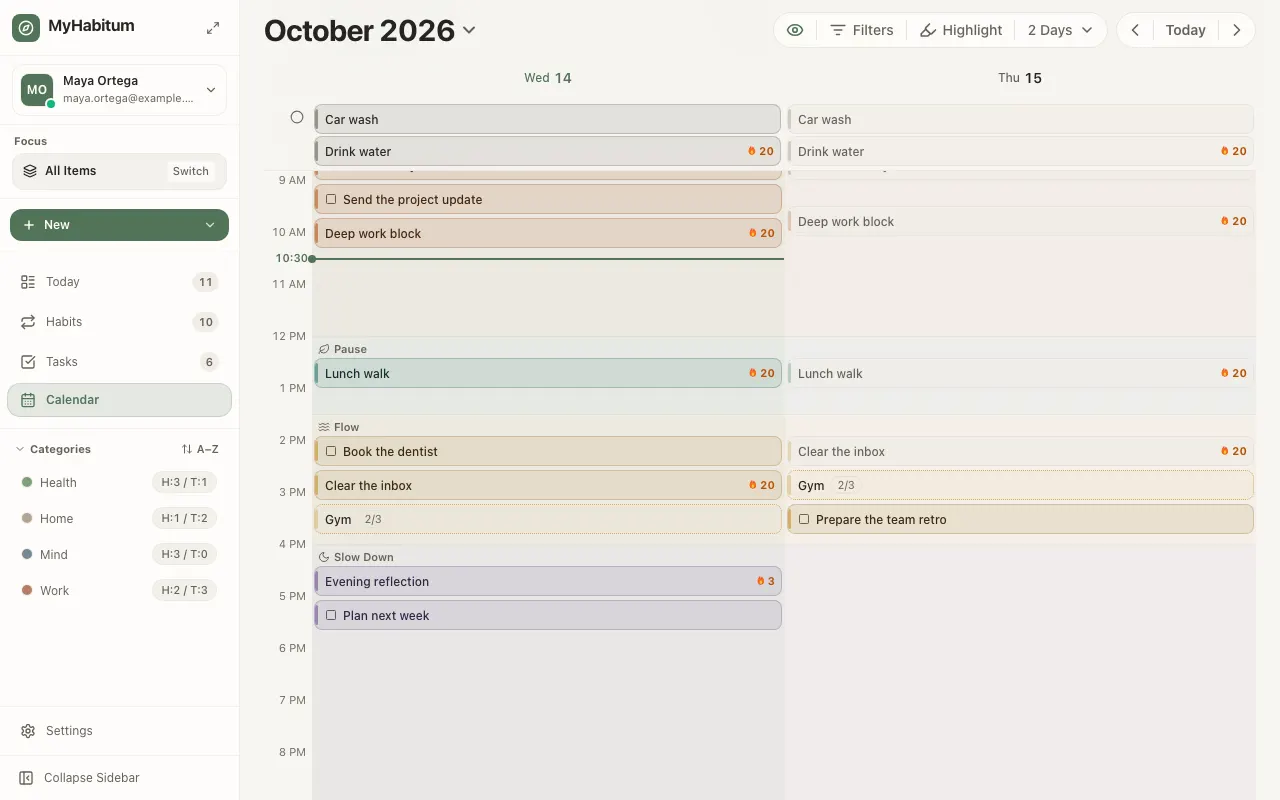
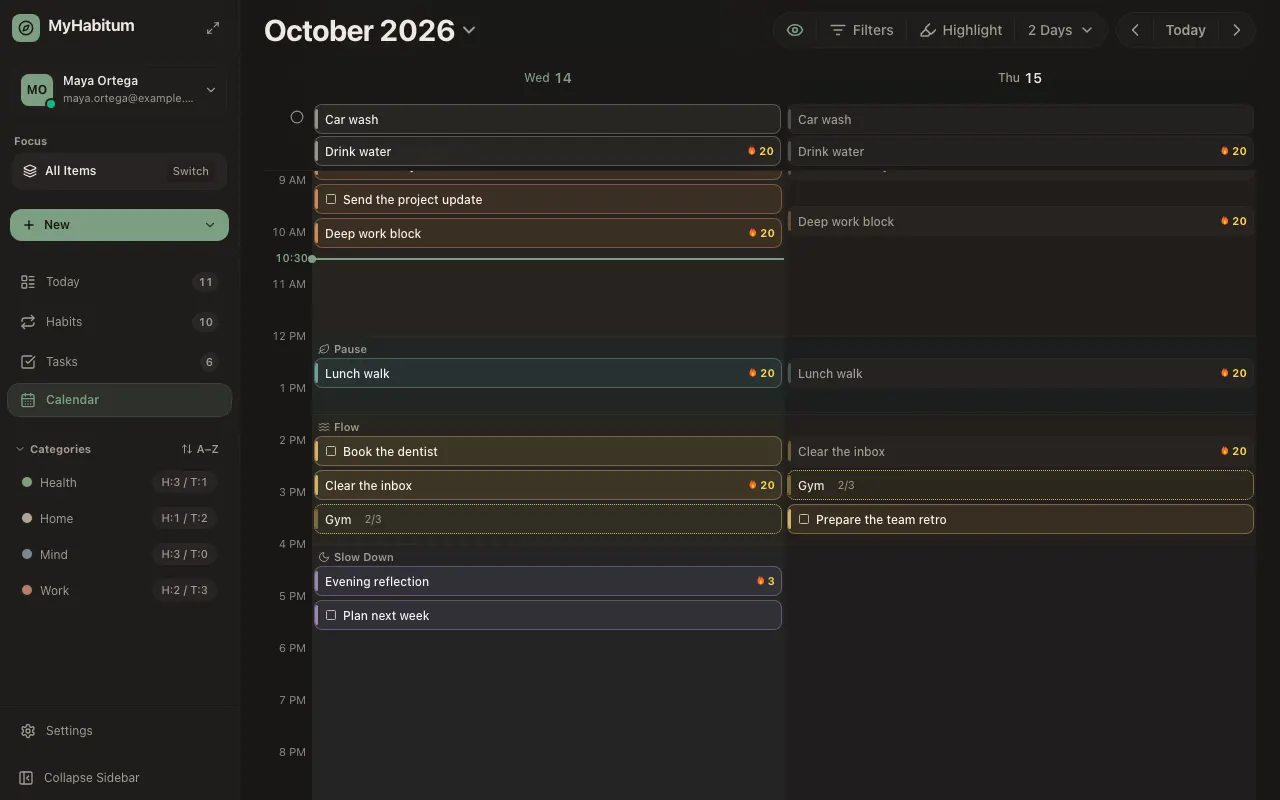
The Calendar returns as a screen of its own and as the Calendar tab, now made for the way you use the rest of MyHabitum.
Read more on the Calendar feature page.
- See your habits and tasks across several days, placed by time of day and colored like Habits. Choose Day, 3 Days or Week on iPhone, plus 2 Days on iPad and desktop.
- Today can be completed right there. Future habits wait for their day, and past days are never marked missed.
- Weekly Goal habits appear as faint, dotted cards with a progress badge, so they read as optional rather than overdue.
- Tap an open item for today and you get Complete, Skip and the rest. Tap anything else and you see its history or details, in every view.
- A busy time of day grows to fit. On iPad and desktop the month title opens a mini month.
Time Off
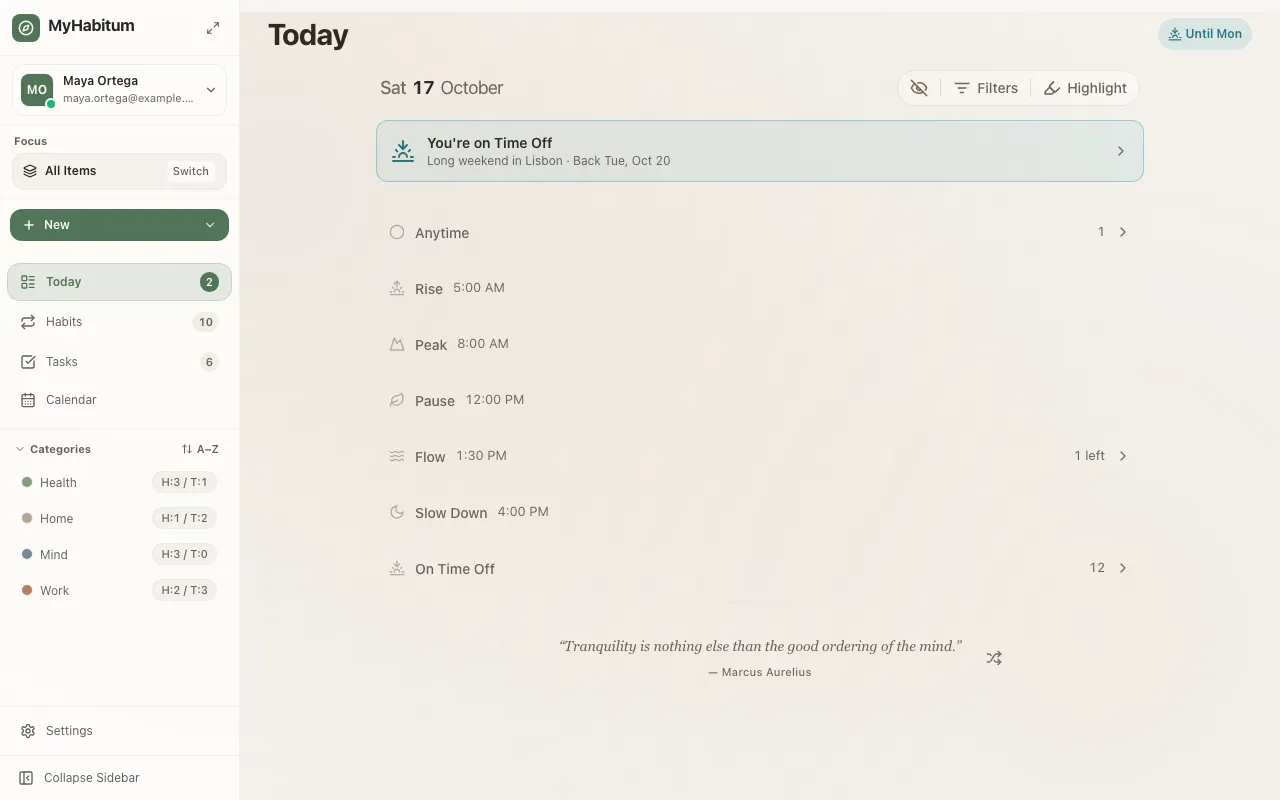
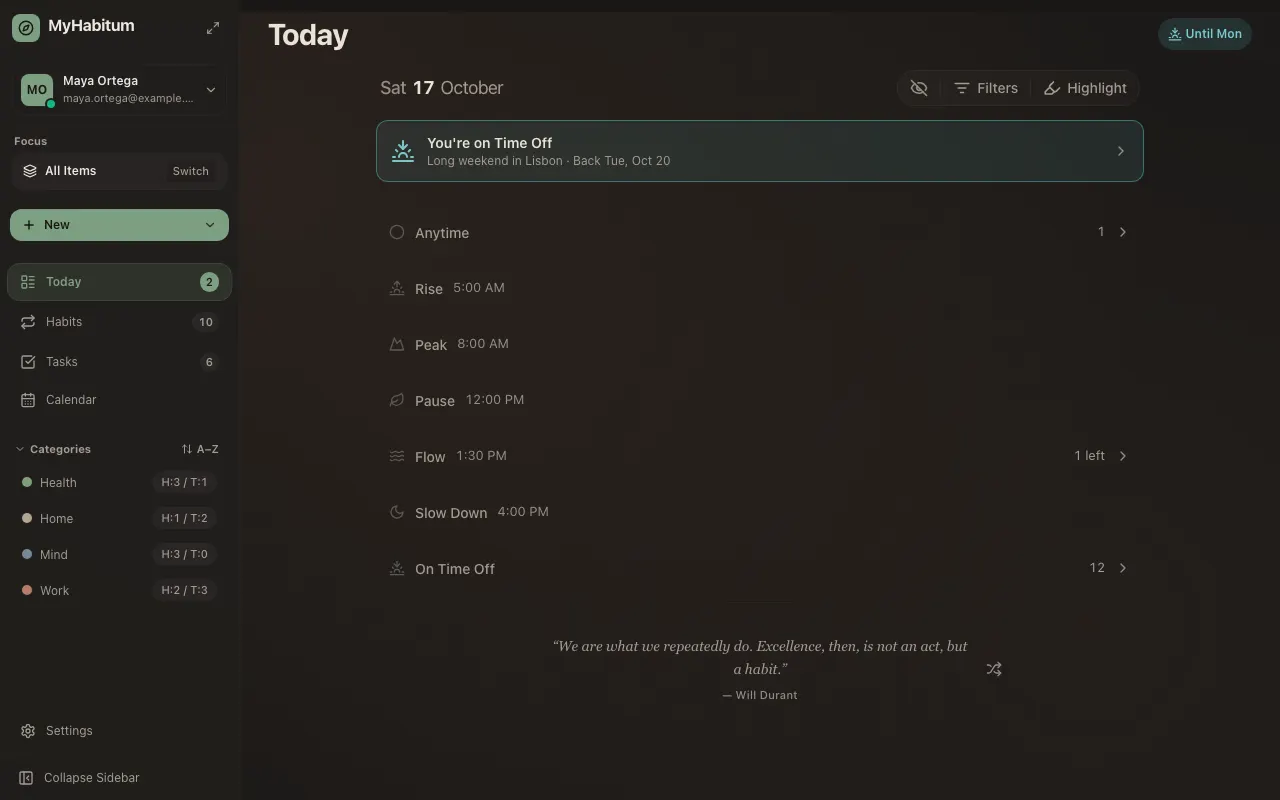
Plan a long weekend, a vacation or the holidays ahead of time, in Settings → Time Off.
Read more on the Time Off feature page.
- Give each block its dates, an optional name and one of 40 icons in four groups: Nature, Travel, Activities, and Rest and Home. A sunset now marks Time Off across the app.
- Your streaks wait. Nothing breaks, nothing shows as missed, and Weekly Goals shrink to the days you are around.
- Keep what matters running by Focus, by category or habit by habit, so drinking water or the gym can carry on.
- The day before, Today says so and offers Review Tasks, where you can move, keep, remove the date of or delete the tasks that fall in your days off.
- While you are away, Today folds the paused items out of the way and shows when you are back. The Calendar marks the days in a soft sea-glass color.
Today, Habits and Tasks
- Today reads top to bottom in time order: Anytime first, then every part of the day, with the current part open and the others as quiet lines you can tap. When nothing is left, a centered “Done for the day” card remains.
- Effort: rate a habit or task from Light to Intense, and small rising bars show it on its row. Finishing it gives a matching vibration where your device supports it, and a soft ring sized to its effort. Haptics and Celebrations each have a switch in Settings, and Reduce Motion is respected.
- Start with a routine: a brand-new account sees a welcome card with ready-made starter routines. Preview one, add it in one tap, and undo it if you change your mind.
- Repeating tasks show when they are next due, such as “Every 2 weeks · in 10 days”, and finishing one early asks you first.
- Finished tasks show when they were scheduled and when you completed them, with a calm note instead of streak cards.
- Clear completed: a quiet “Clear” link tidies finished tasks older than a month, six months, a year, or all of them. You see how many will go first, and Undo is there afterwards.
- Archived habits live on their own tab, and Habits shows every habit by default.
- Add a category where you pick one, right in the habit or task form.
- One filter chip everywhere: Today, Zen, Habits, Tasks and the Calendar share the same round chip with Show Completed and Filters.
Focus, with color
- Each Focus has its own color, chosen from eight calm tones. It shows on the Focus pill, in the sidebar and in the Focus names in details.
- Highlight lets you pick one or more Focuses in Filters to see which habits and tasks belong to them. Matching items get a thin bar in the Focus color while the rest fade back. Nothing is hidden, and Clear turns it off.
- The Add and Edit sheets are clearer: fields are grouped into When and Details, Focus shows as colored chips and category colors show as dots.
Times of day
Times of day keep their fixed names, each with a subtitle you can edit, new default hours and AM/PM everywhere. Done, skipped, missed and overdue now use the same calm marks across Habits, Today and the Calendar.
Around the app
- Install MyHabitum like an app: add it to your Home Screen with its own icon, launch screen and shortcuts to Today, Habits and Tasks. A quiet notice offers the new version when one is ready.
- Continue with Google: sign in or create your account with Google in one tap.
- Daily Wisdom: a curated library of quotes and friendly example text appears across Today, Zen and empty fields, with one switch to turn it off.
- Calm account emails: confirmation, password reset and sign-in link messages now arrive from MyHabitum in the same warm style as the app.
- Terms, Privacy and Cookies are one tap away in your profile menu, and the updated wording is explained in the Trust Center. Help and Tips live on this website.
Smaller fixes
- Categories stay private to each account on a shared browser.
- Messages appear centered on iPhone instead of clipped at the edge.
- On iPad in portrait, the avatar menu offers theme and Enter Zen again.
All of it is waiting for you at app.myhabitum.com.
Try MyHabitum
Arrange your habits and tasks by the time of day.